Quick Guide
Welcome to Neutrinos Through Design
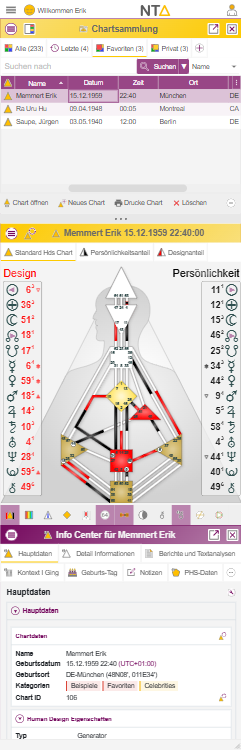
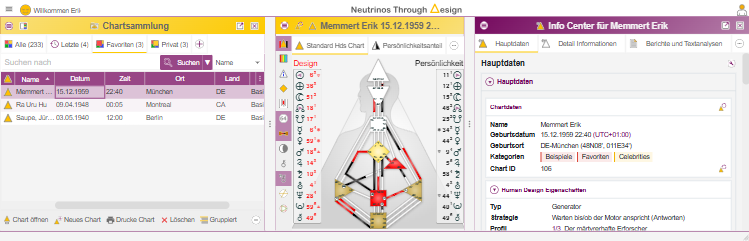
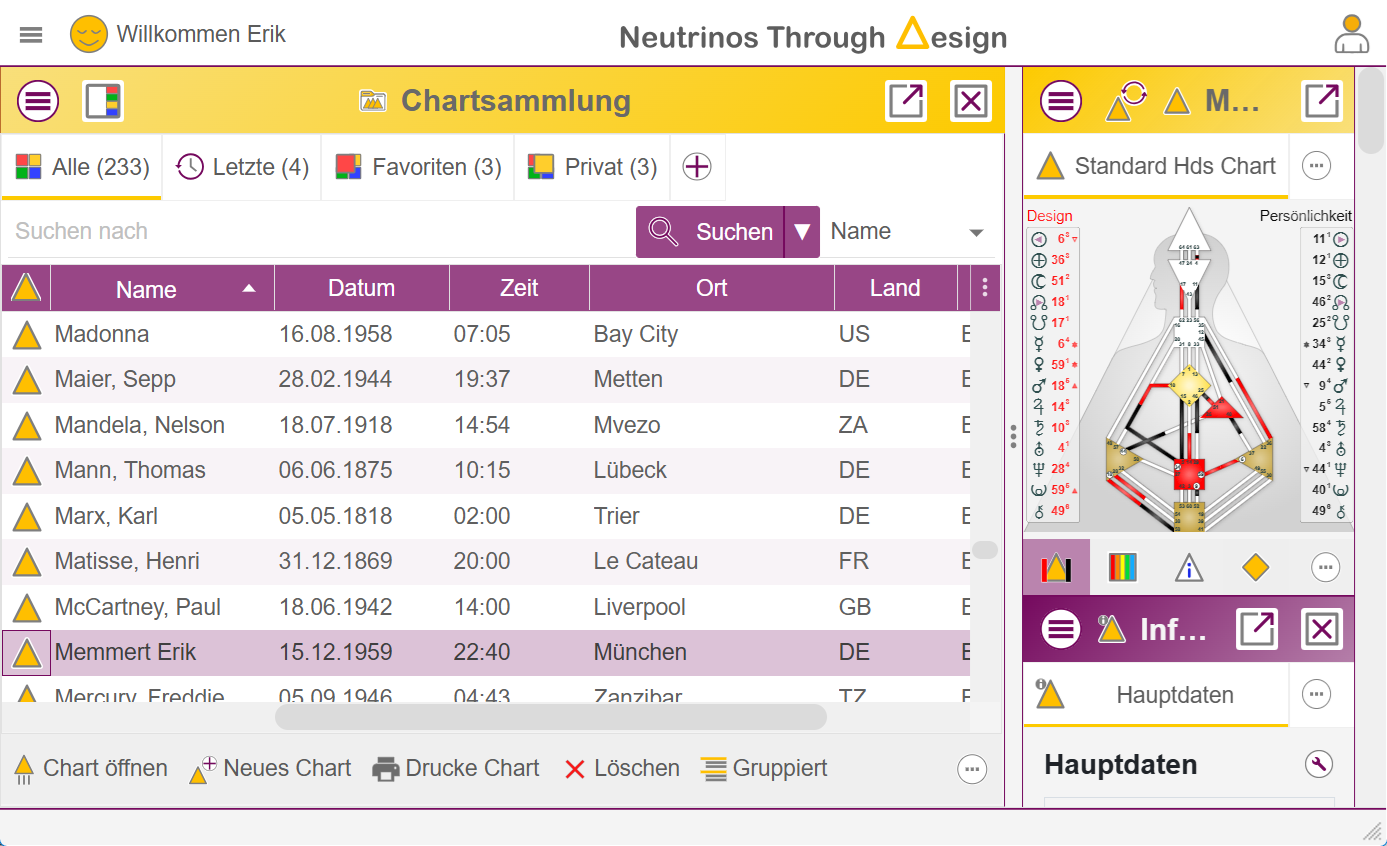
The Human Design program connects
-
 Chart collection
-
 Chart Center and
-
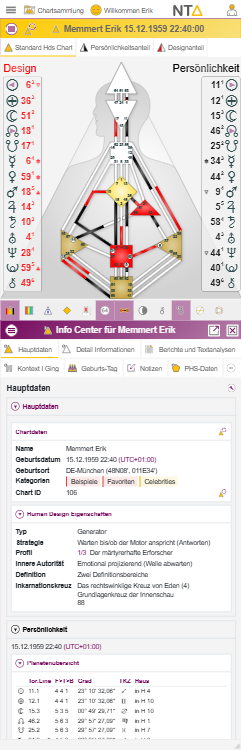
 Info Center
to a workspace. Depending on the layout, different layout arrangements are possible:



Access options
Try without signing in, work free permanently, or extend when needed
You can try every feature without a time limit on the unsaved Just Now chart. A free account adds storage, a personal library and the current 1927–2027 Free Version date range.
Chart collection
Search, filter, select and manage saved charts.
Chart Center
The active chart with layouts, markings, context and interaction.
Info Center
Detail pages, analysis, I-Ching context and other adjustable evaluations.
Find or create a chart
In the chart collection you select existing charts, assign them to categories or create new charts.
Read and switch chart
In the Chart Center you can change layouts, show layers, mark details and click directly on gates, planets, centers or channels.
Deep information
The Info Center follows the chart selection and shows appropriate tables, descriptions, analysis sections and further connections.
What you can do in the program
Manage charts
Organize chart data with categories, quickly search, select, open and prepare for work.
 Categories
 Search
 Selection
Change chart views
Switch between rave, personality, design, harmonic, mandala and other representations, as long as the current license and the chart allow it.
 Layouts
 Mandala
 Harmonic
Examine details in the chart
Set the appropriate context by clicking on chart elements and display information about gates, lines, centers, channels and planets.
 Click context
Hover
Marker
Click context
Hover
Marker
Read analyses
In the Info Center you will find structured overviews, detailed data, I-Ching texts, circuit and definition information as well as analysis reports.
 Info pages
 Analysis
 I Ching
Create special charts
Depending on the scope of functions, you work with composites, transit, solar, penta, BG5 or other extended chart forms.
 Composite
 Transit
 Solar
Solar
Customize workspace
Show and hide areas, change window size, maximize Info Center and adapt the display to your workflow.
 Layout
 Fullscreen
Info panel
Fullscreen
Info panel


